Clarity on iPhone Duo: more room for your thinking
Unfold a quieter space for writing, questions and the thoughts you want to return to.
By Mike Parsons ·

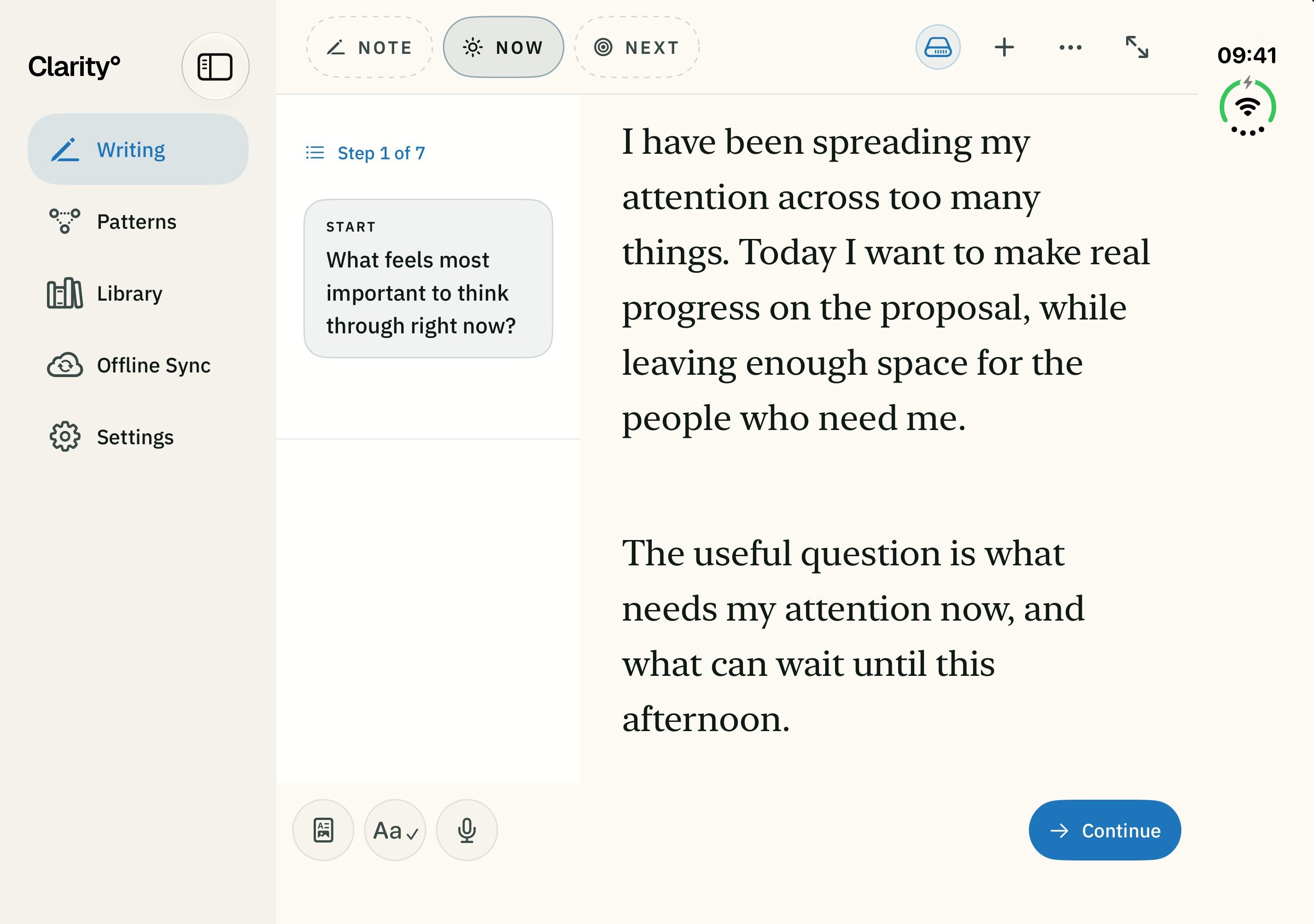
Some thoughts arrive in the middle of a busy day. Others need a little more room. Clarity is now available on iPhone Duo, with a layout that makes use of the space in front of you.
A question beside your writing
Write on the outer display when you want a compact canvas. Open iPhone Duo and, when there is room, keep a question beside your writing as you work through it. NOTE, NOW and NEXT still give you the same paths from a thought to a focus and a next move.
Return to the whole thought
In Library, a wider view can put your list and a selected session together. You can find the writing you want to revisit without losing sight of the rest of your Library.
Patterns help you notice what returns across your writing. Expand the source entries to see the context behind an insight, alongside it when space allows.
Make the space yours
Clarity adjusts to the space available, and Focus keeps the writing surface quiet when you want fewer distractions. Explore the iPhone Duo guide or see the app on the download page.